Guides
Lighting and shadows
The grass shades itself from a sun and a hemispherical ambient in three.js light units. Bind your existing lights and it follows them every frame, including the directional light's shadow map. Cloud shadows from a sky are one more input.
golden: the sun at 17:36 behind the blades. Translucency lights their far faces, and the sheen runs along each blade.#Bind your lights
const sun = new THREE.DirectionalLight(0xfff1dd, 5);
sun.castShadow = true;
const hemi = new THREE.HemisphereLight(0xbcd4ff, 0x4a3f2a, 1.2);
scene.add(sun, sun.target, hemi);

grass.bindLights(sun, hemi);
On every update() the grass copies:
- the direction from
sun.targettosun, sun.color × sun.intensityas the sun colour,hemi.color × intensityandhemi.groundColor × intensityas sky and ground ambient,- the sun's shadow map and matrix, while the sun casts shadows.
Move or recolour the lights however you like, for example from a day cycle. bindLights(null) unbinds them.
#Set lighting by hand
Without three.js lights, or to override them, use setLighting(). Fields you leave out keep their value.
grass.setLighting({
  sunDirection: new THREE.Vector3(0.4, 0.8, 0.3),   // towards the light; normalised for you
  sunColor: new THREE.Color(1, 0.95, 0.85).multiplyScalar(5),
  ambient: new THREE.Color(0.7, 0.8, 1).multiplyScalar(1.2),
  groundAmbient: new THREE.Color(0.3, 0.25, 0.18),  // default: ambient × 0.3
  shadowLight: sun,                                 // whose PCF shadow map to receive, or null
  cloudShadow: null,
});
Colours accept a THREE.Color, a THREE.Vector3 or an [r, g, b] array. create({ lighting }) applies the same object at start-up.
#Shadows
The grass receives the shadow map of one directional light, the bound one or shadowLight, through a hardware-filtered sampler2DShadow.
- Turn on
renderer.shadowMap.enabledand keep the defaultTHREE.PCFShadowMap. With VSM or basic shadow maps the grass is simply unshadowed. - The light must have
castShadow = true. The demo's Shadows toggle switches exactly this. - Blades do not cast shadows. Trees, rocks and your own meshes shadow the grass as usual.
- Keep the shadow camera tight around the player, as the demo does (±38 m, following the ball). The grass beyond it is lit but unshadowed.
#Cloud shadows
A sky can pass a top-down transmittance texture. It darkens only the sun term.
grass.setCloudShadow(sky.cloudShadow);    // { texture, matrix } from naturegl-sky
grass.setCloudShadow(null);               // off
matrix maps a world position to texture UV (xy / w). The texture's red channel is the sun transmittance, 1 = fully lit. Any source that fits this contract works.
#The look controls
These are grass parameters, set with setParams({ grass: { … } }):
| Parameter | Range | |
|---|---|---|
translucency | 0..2 | Glow when the sun is behind the blades. Light passes through to the far face and scatters forward |
specular | 0..2 | An anisotropic (Kajiya-Kay) sheen along the blade |
gustSheen | 0..2 | How strongly gust fronts brighten the field |
Root AO darkens the base of the blades where the sward is dense, and fades out with distance. It has no parameter.
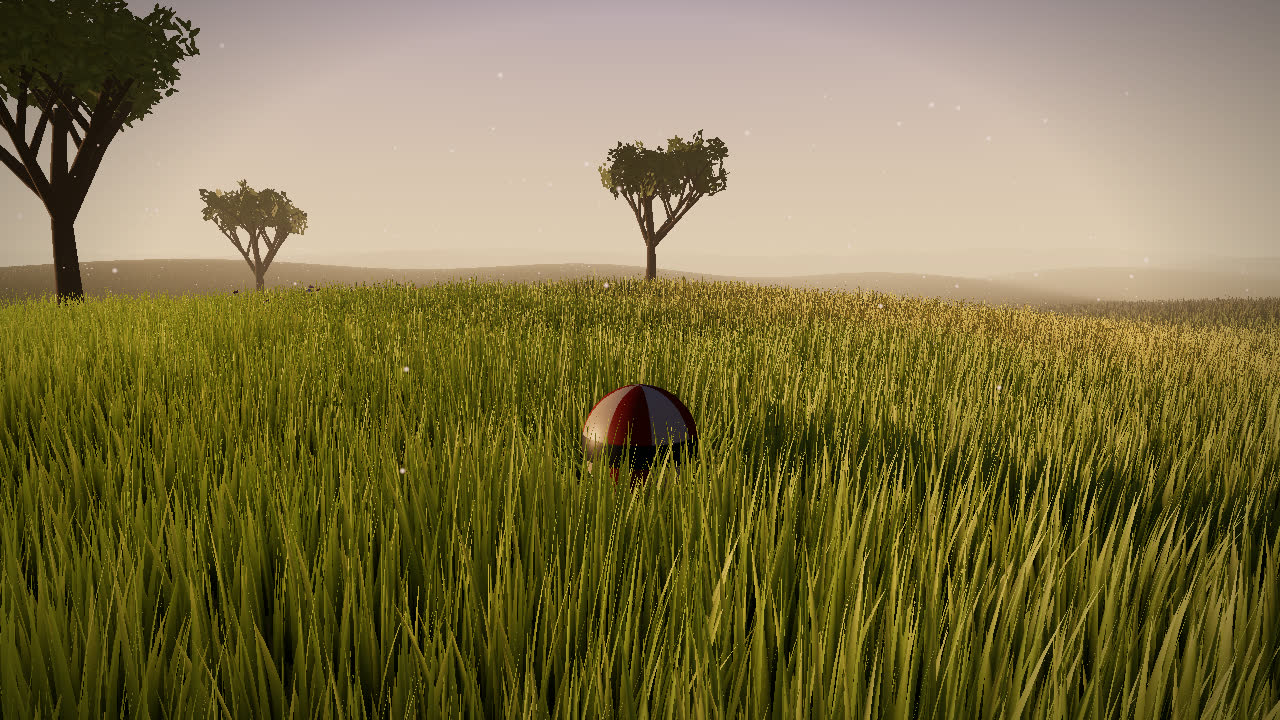
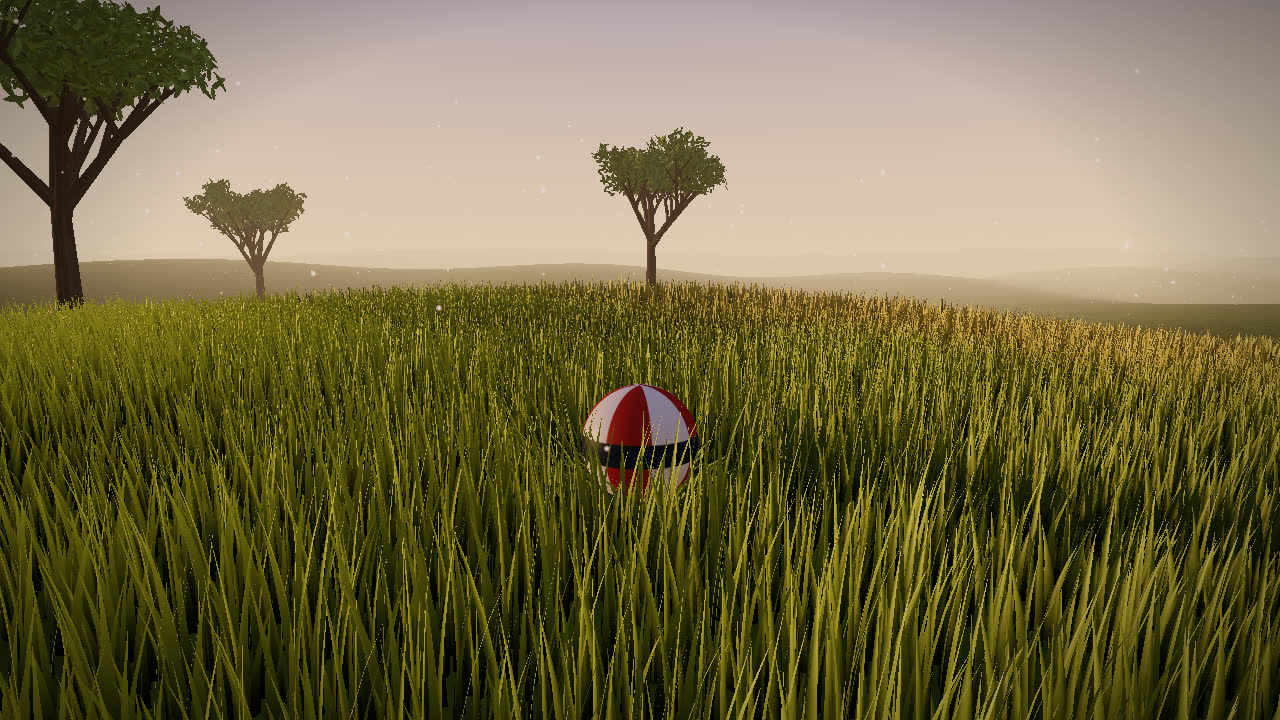
golden in the original page and in this package, same camera. Translucency was reworked into light on the far face plus forward scatter.#Fog
The grass materials use scene.fog like any built-in material, both Fog and FogExp2.