Start here
The demo
The full demo is the grasspro.html meadow rebuilt on the library. It has rolling hills, trees, rocks, flowers, drifting leaves, fireflies at night and a ball that tramples the grass. It runs from the package with npm run dev, and in your browser right here.
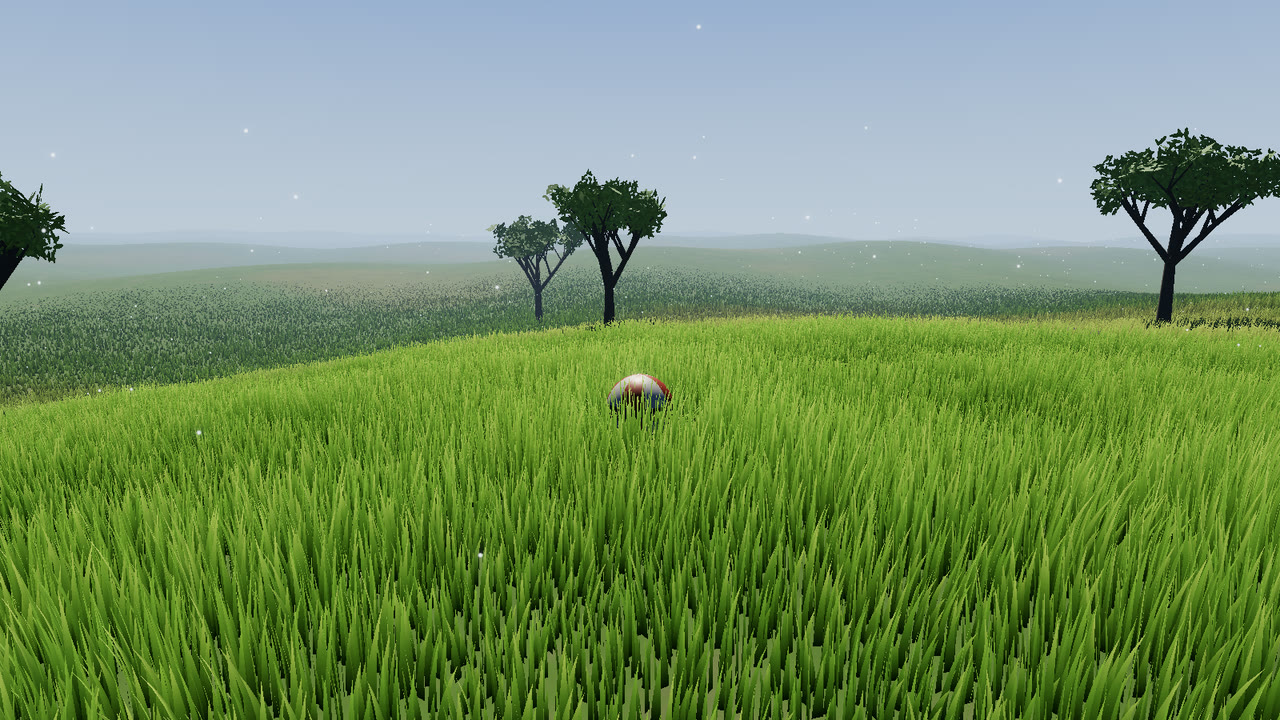
npm run build:demo. Use W A S D to roll the ball, drag to orbit, and press 1–7 for the presets.Everything scenic lives in demo/: the terrain function, the sky dome, the ball, the leaf and fluff drift, and the UI. The grass, wind, trampling, scatter and fireflies come from naturegl-grass.
#Controls
#Moving
| Input | Action |
|---|---|
| W A S D / arrows | Roll the ball relative to the camera. It is a trampler, so it flattens the grass |
| Shift (held) | Run: 9 m/s instead of 4.5 m/s |
| Click the ground | Roll the ball to that point |
| Hover the ground | Brush the grass under the cursor (a one-frame trample.stamp() each frame) |
#Camera and UI
| Input | Action |
|---|---|
| Drag | Orbit around the ball |
| Scroll | Zoom, from 2.5 m to 45 m |
| 1 – 7 | Meadow, Golden Hour, Windy Hills, Wildflowers, Autumn, Dry Savanna, Night Fireflies |
| H | Hide the interface |
#Panel
| Control | What it does |
|---|---|
| Quality Low / Med / High / Ultra | grass.setQualityLevel() |
| Trample | grass.trample.enabled |
| Shadows | sun.castShadow. The grass receives the sun's shadow map only while it is on |
| Flowers, Trees | Scatter layer visibility |
| Fireflies | Firefly intensity follows the night factor while this is on |
| Orbit | controls.autoRotate |
| Path | Adds a winding footpath to the terrain mask and calls grass.setTerrain() |
| Copy preset JSON | Copies grass.getParams() plus the demo's scatter and environment sections to the clipboard, or prints it to the console |
The sliders along the bottom are density, height, wind, gusts, wind direction, time of day, season, clumping, glow (translucency) and sheen (specular). Each one calls grass.setParams(). The parameters page has their ranges.
#URL options
| Query | Effect |
|---|---|
?quality=low|medium|high|ultra | Start at this tier and skip adaptive quality |
?smoke | Turn adaptive quality off (the test and capture scripts use it) |
?gputime | GPU frame timing through EXT_disjoint_timer_query_webgl2, averaged in window.__gpu.ms |
?noshadow | Start with the renderer's shadow map off |
Without ?quality or ?smoke, the demo starts at high and steps down one tier if the first seconds average under 45 fps.
#Automation contract
The demo exposes window.__pro, the same contract every NatureGL demo uses. npm test and this site's media capture drive the demo through it.
window.__pro = {
  ready: true,                  // after the first frames rendered
  system: grass,                // the GrassSystem
  scatter, fireflies,           // the ScatterSystem and Fireflies
  presets: ['meadow', 'golden', 'windy', 'wildflowers', 'autumn', 'savanna', 'night'],
  qualities: ['low', 'medium', 'high', 'ultra'],
  applyPreset(name) {},         // loads the preset and stages its environment + camera
  setQuality(level) {},
  // demo extras
  setToggle(name, on) {},       // 'trample', 'shadows', 'flowers', 'trees', 'fireflies', 'orbit', 'path'
  setSlider(name, value) {},    // 'density', 'height', 'wind', 'gust', 'dir', 'time', 'season', …
  player, camera, controls,
  getPresetJSON() {},
};